For turnover cleaning companies
The turnover cleaning app for companies that clean Airbnb and vacation rentals
Bring every client’s homes into one schedule. Cleans come from each listing’s calendar, your cleaners check off each room with photos on their phone, and your clients see what was done without calling you.
No card needed. Free for up to 2 homes; after that, from USD 4 per active home per month. Cleaners and field staff are never charged.
Cleaning for many hosts at once
- Each host sends check-outs their own way: a message, a screenshot of the calendar, a call the night before.
- Same-day turnovers leave no room for a cleaner who goes to the wrong home or starts late.
- When a guest complains, it is your word against theirs unless you have photos with the time.
- Damage found during a clean has to reach the host with a photo before the next guest arrives.
- Hours, jobs and pay are pieced together from chats at the end of the week.
How it works
1
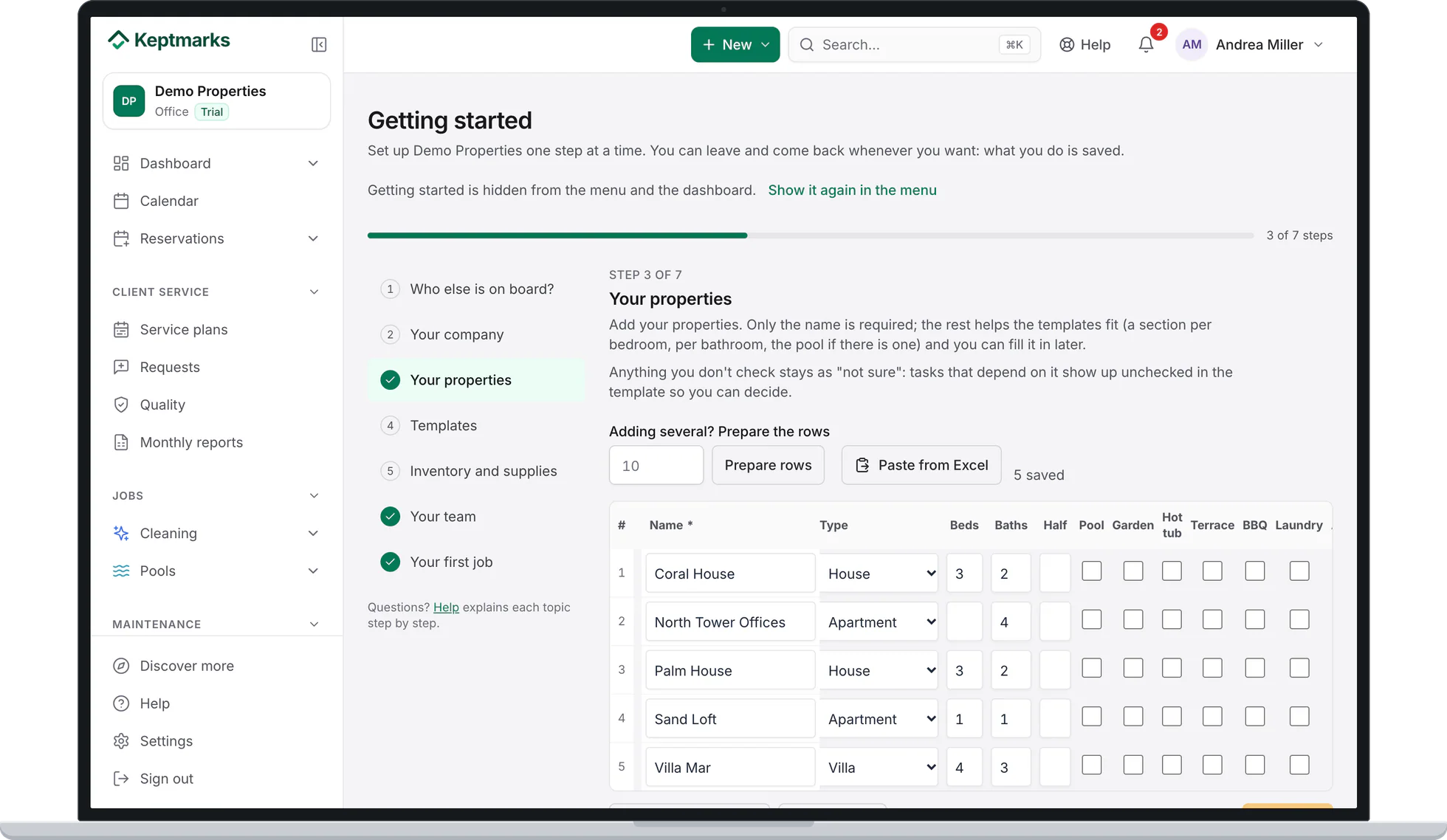
Add each client’s homes
Load the homes once, with their rooms and amenities, and paste the iCal link each host gives you for every listing. You do not need access to their Airbnb account.
Screenshot of the app with demo data. 2
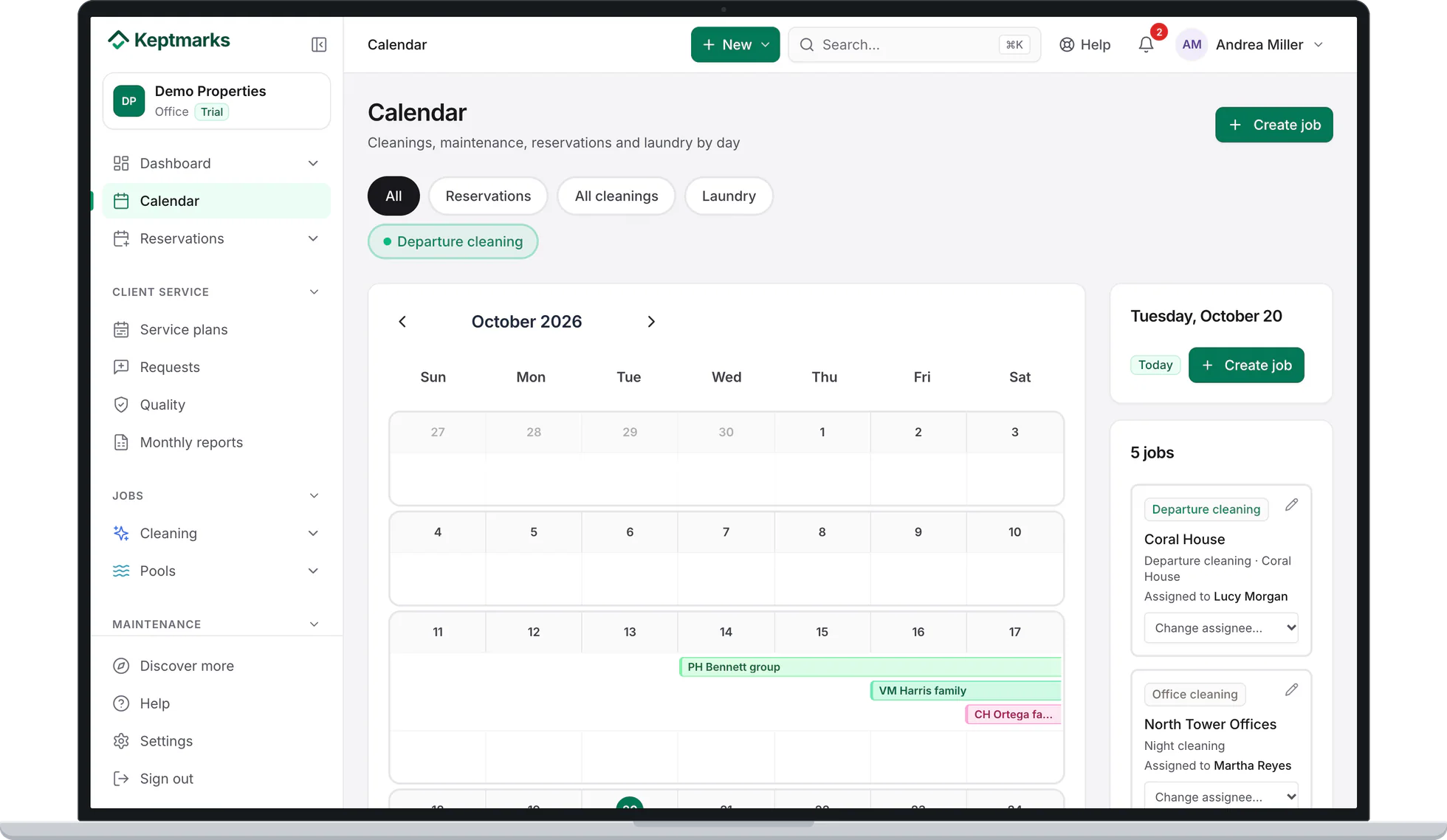
Cleans schedule themselves
Every check-out creates the turnover clean with the checklist for that home, read every hour from the calendar. The calendar shows the bookings and the day’s jobs with the home and who is assigned.
Screenshot of the app with demo data. 3
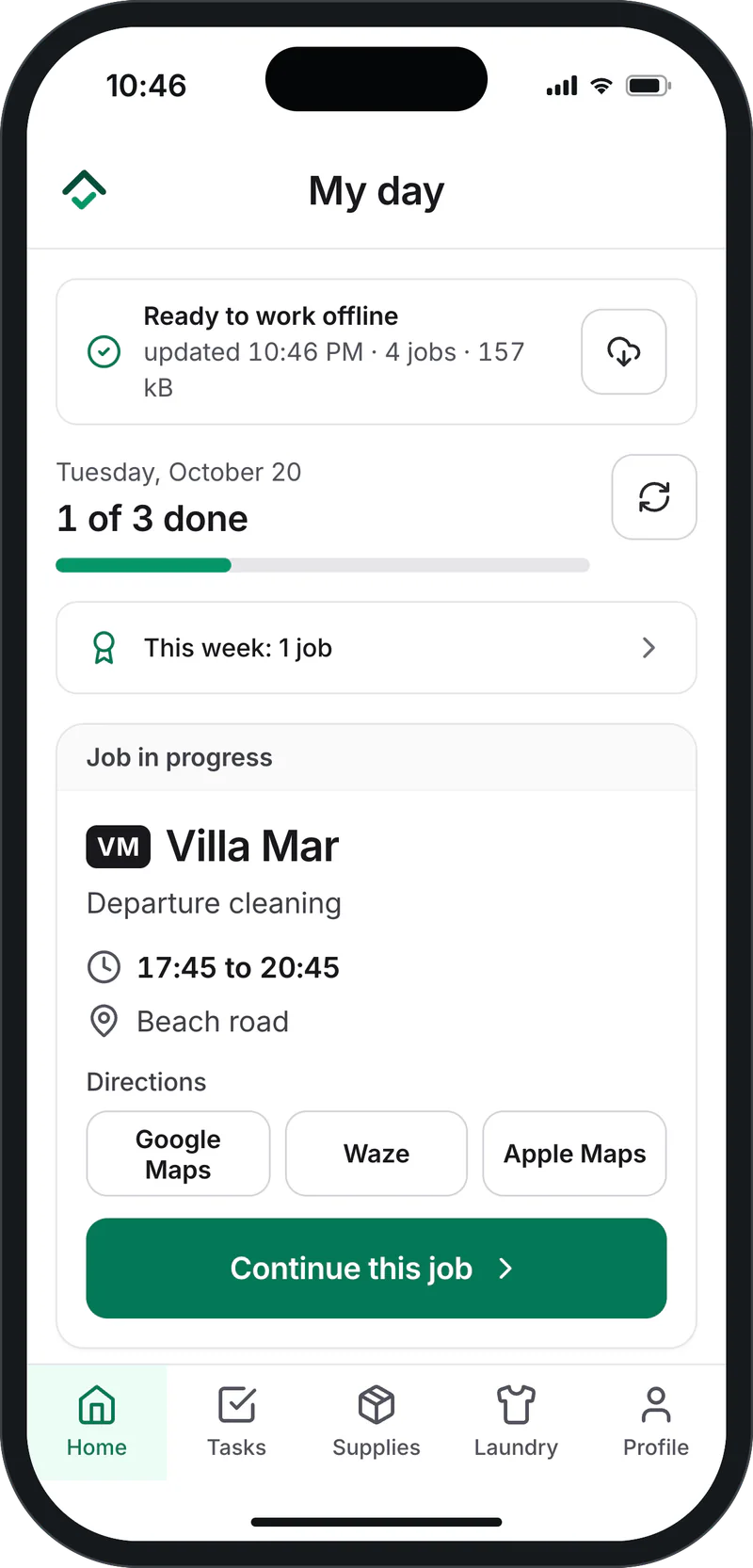
Your team works from the phone
Each cleaner sees their day, the address with directions and the checklist. Tasks ask for a photo where you decide, and it works without signal.
Screenshot of the app with demo data. 4
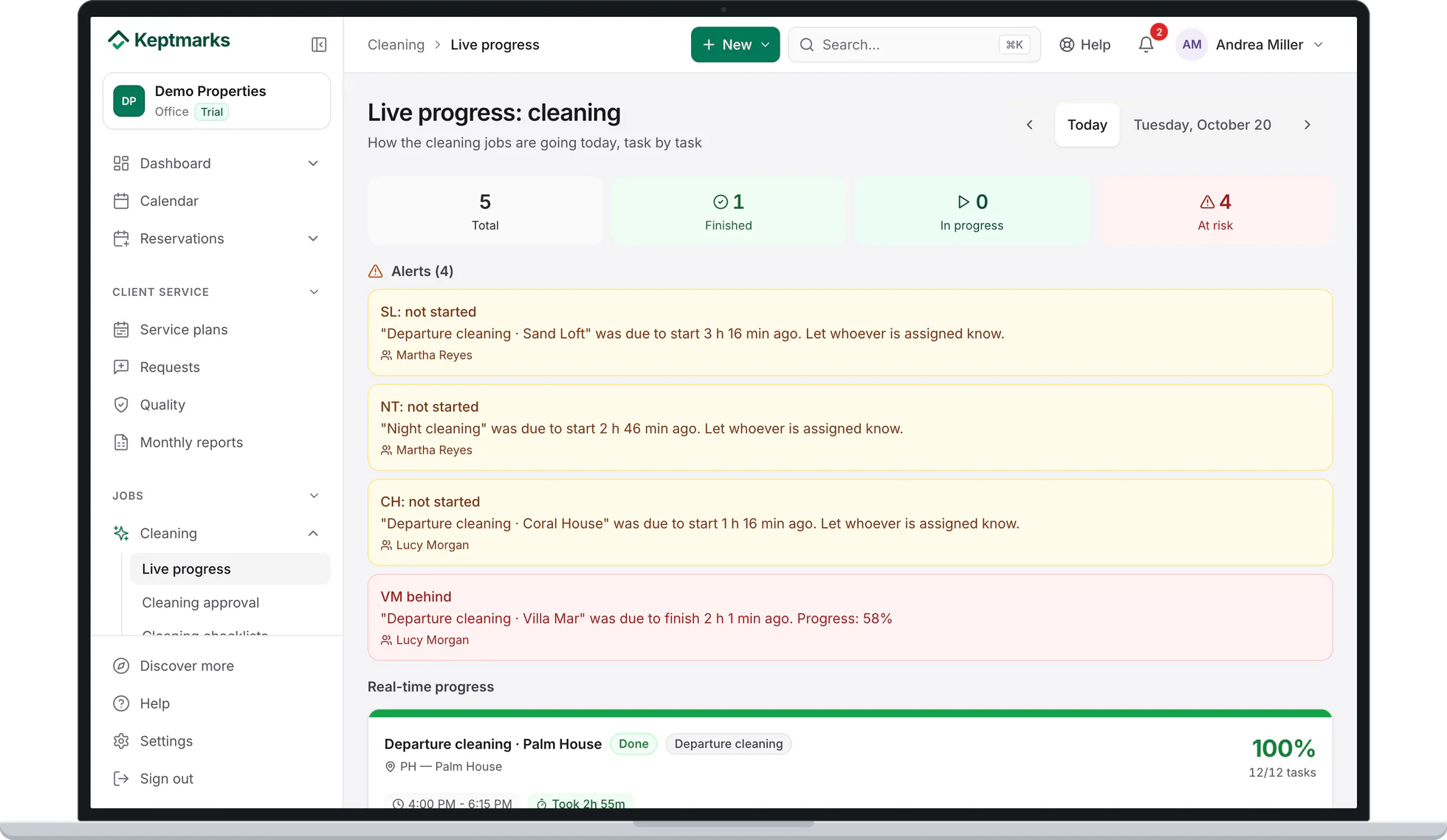
You see every job live
Live progress shows what is done, in progress or running late across all your clients, and you approve each clean before telling the host the home is ready.
Screenshot of the app with demo data. 5
Every home keeps its history
Each home has its jobs with the date, who did them and the photos, ready when a host asks.
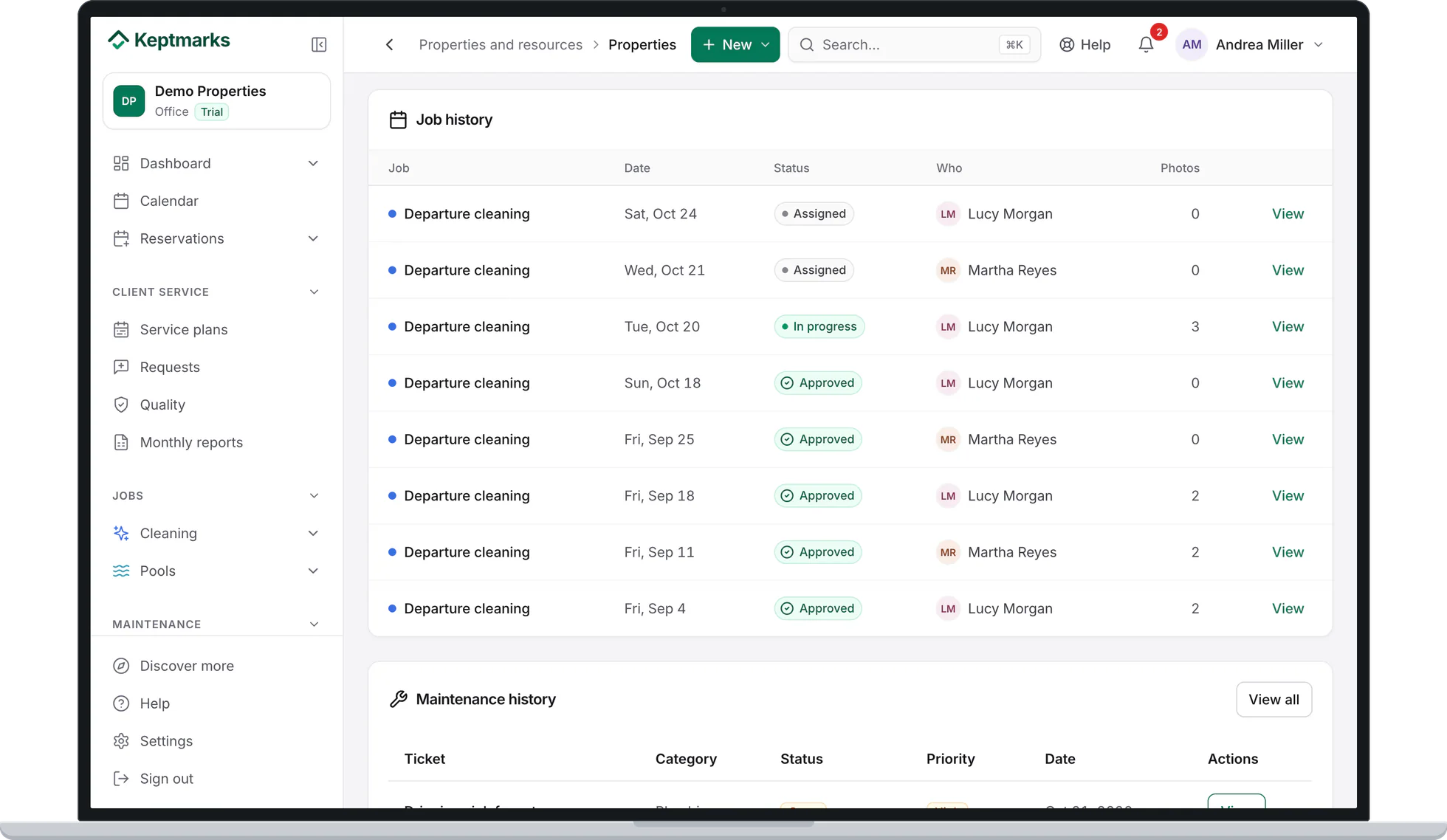
Screenshot of the app with demo data.


What is included
Most of it is on every plan, including Free. Where a feature needs a paid plan, it says which one.
- Calendar sync by iCal with Airbnb, Vrbo, Booking.com and Lodgify, read every hour.
- A checklist per home with photos per task, and offline mode.
- Report a problem from any task: it opens a maintenance ticket with the photos.
- Clock in and out by scanning a QR code.
- Client portal: your clients see the jobs at their homes with the photos, at no cost to them.
- Reports you can export to Excel and PDF.
- Location when a job starts and ends.From Essential
- Shifts, hours close with each person’s rate, and internal chat.From Essential
- Client signature when a job is finished.From Essential
- Billing your clients: statements, prices and payments.Professional
Pricing
Free for up to 2 homes. After that, Essential is USD 4 and Professional USD 7 per home per month, with no minimum and 25% off from home 11. Your cleaners are never charged, the client portal is included on every plan, and homes a property manager shares with you from their own Keptmarks account are paid by them. The 30-day free trial includes everything in Professional and needs no card.
Free printable turnover checklist
A room-by-room check-out cleaning checklist to print or save as a PDF, with no email required. Hand it to a new cleaner today, or load the same tasks into Keptmarks.
Get the checklistFrequently asked questions
Yes. Each platform gives the host a calendar link (iCal) per listing. They send you the link and you paste it in the home; Keptmarks only reads it.
They can share their homes with your company from their account. You see those homes in yours and assign your own team, and they do not count toward your bill. Sharing homes is part of their Professional plan; receiving them works on every plan.
Yes. Your clients get a portal where they see the jobs at their homes with the photos. It is included on every plan and your clients are not charged.
Each task records who checked it off and when, and a task can require a photo before it can be checked. With signal, the time comes from the server, not from the phone.
No. Field staff are unlimited on every plan. You pay per active home in your account, and up to 2 homes are free.
Yes. There is an iPhone app on the App Store, and on any phone the web app can be installed from the browser. Cleaners sign in with a PIN.
Try it with one client first
Register your company, add one client’s homes with their calendar and send your team the next turnover. 30 days free, no card needed.