For cleaning companies
Cleaning business software for residential, turnover and commercial cleaning
Schedule recurring and one-off cleans, give each cleaner their day on the phone with a checklist and photos, see every job live and show your clients what was done.
No card needed. Free for up to 2 homes or sites; after that, from USD 4 per active home or site per month. Cleaners are never charged.
When the business grows past what you can check yourself
- Recurring clients, one-off deep cleans and office contracts live in different places.
- You cannot be at every site, so quality depends on who went that day.
- Clients notice what was missed, and you have nothing to show what was done.
- Hours are rebuilt from messages when it is time to pay.
How it works
1
Set up clients, sites and recurring jobs
Add each home or site with its rooms or areas, and create jobs that repeat on a schedule or happen once. Vacation rentals can create their cleans from the booking calendar.
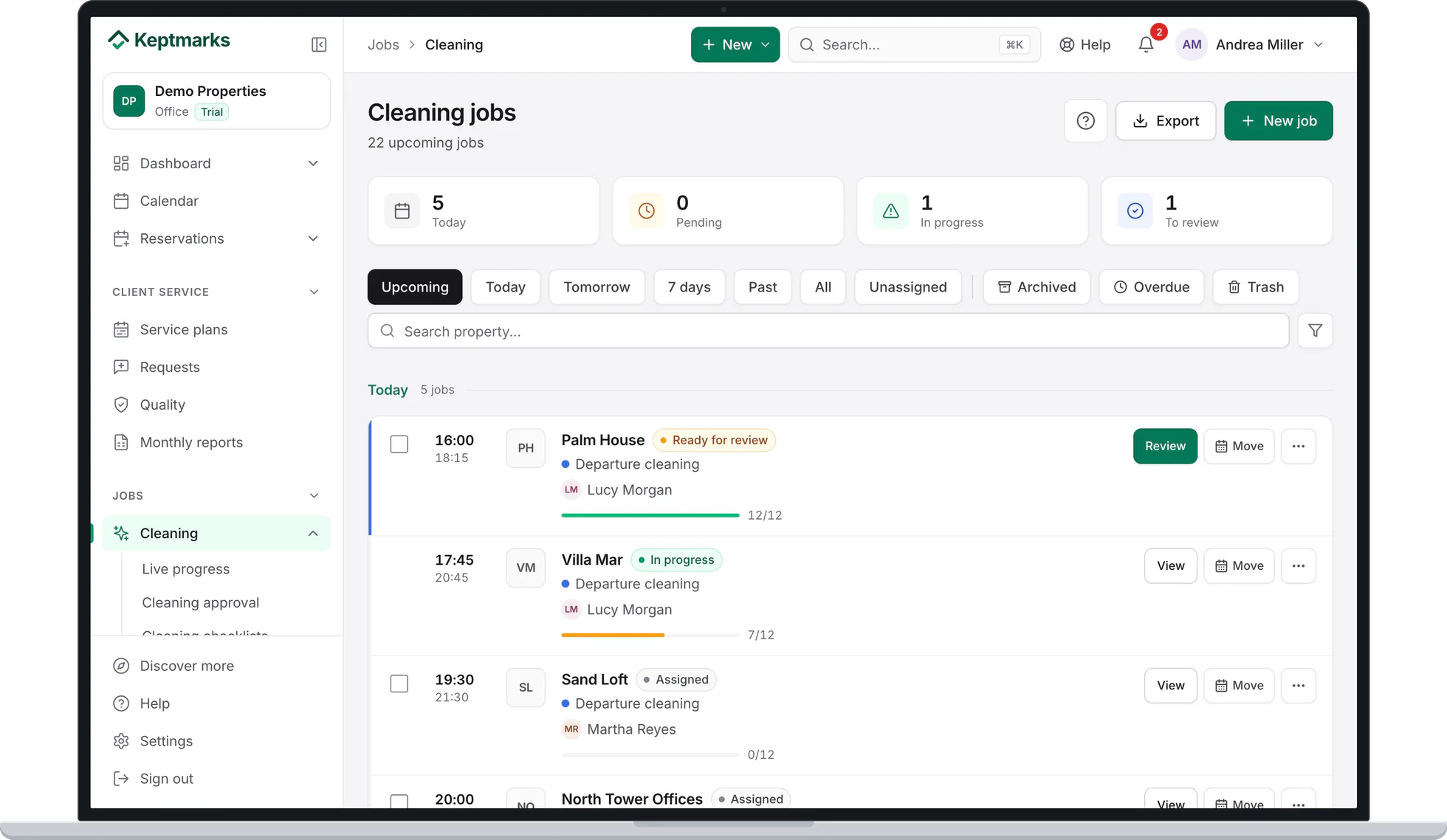
Screenshot of the app with demo data. 2
Cleaners follow the checklist on their phone
Each person sees their jobs and checks off tasks by room or area, with a photo where you ask for one. It works without signal.
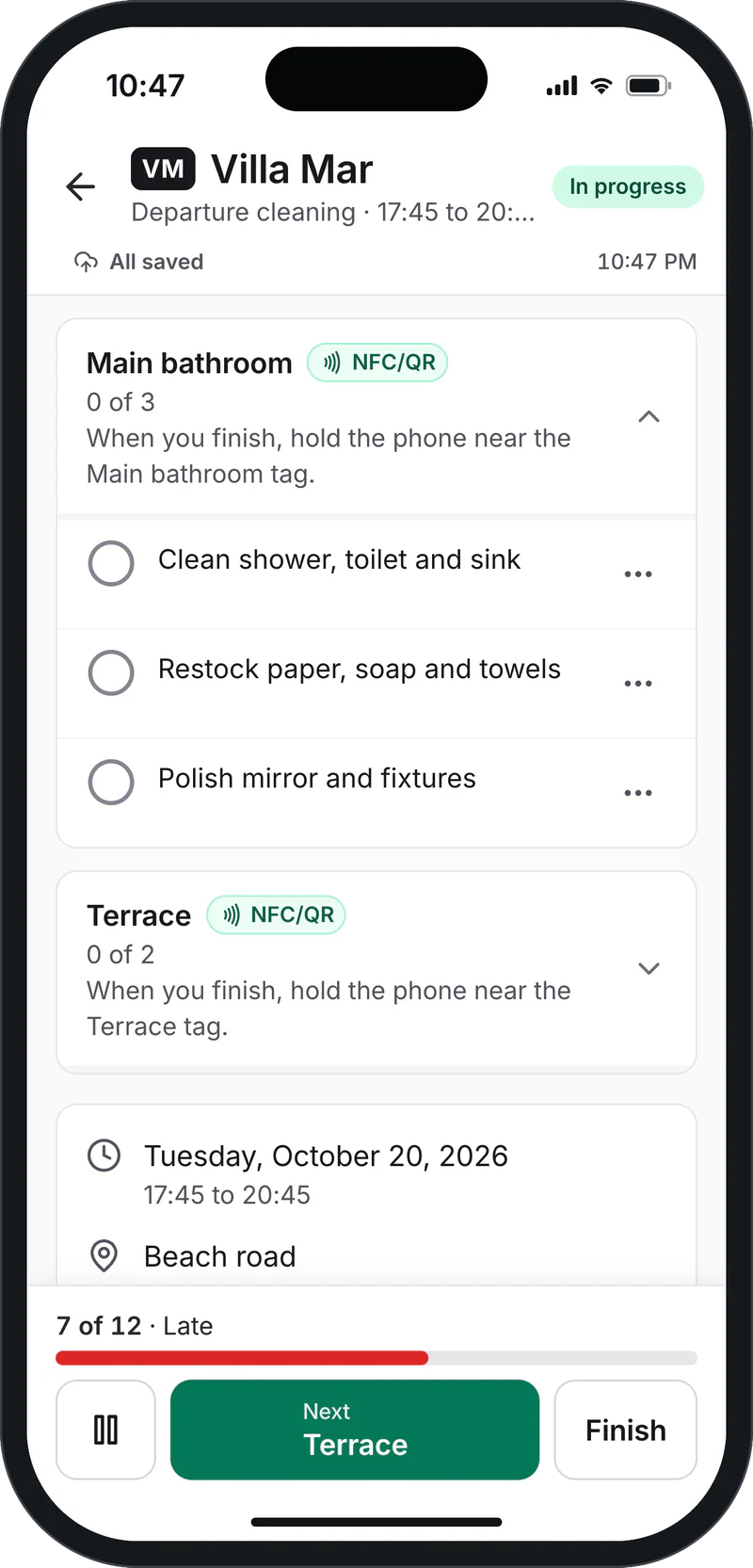
Screenshot of the app with demo data. 3
See progress live and approve
Live progress shows what is done, in progress or running late, and flags a job that has not started at its time. You review each finished job and approve it or flag what needs fixing.
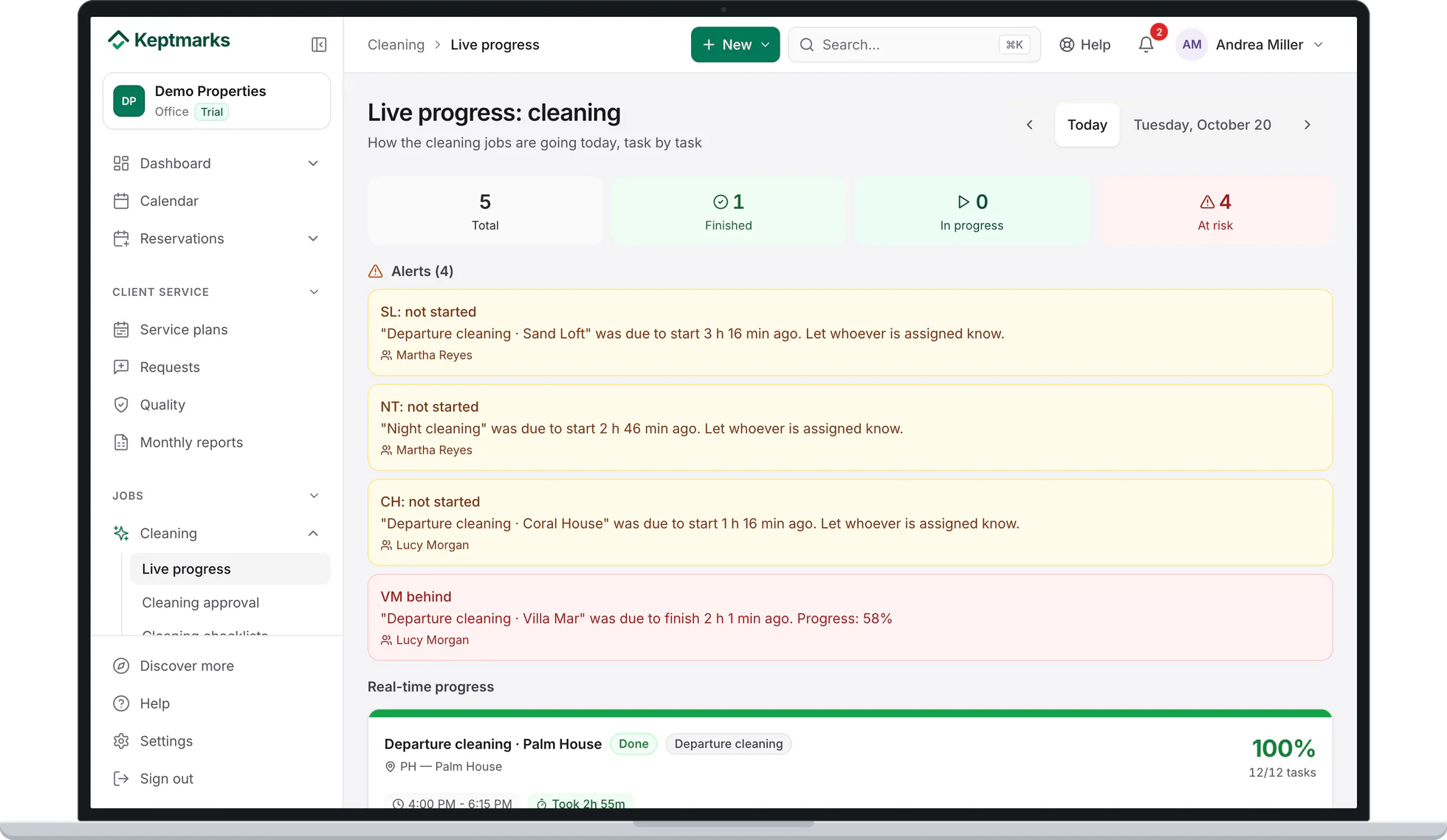
Screenshot of the app with demo data. 4
A history for every client question
Each home or site keeps its jobs with the date, who did them and the photos.
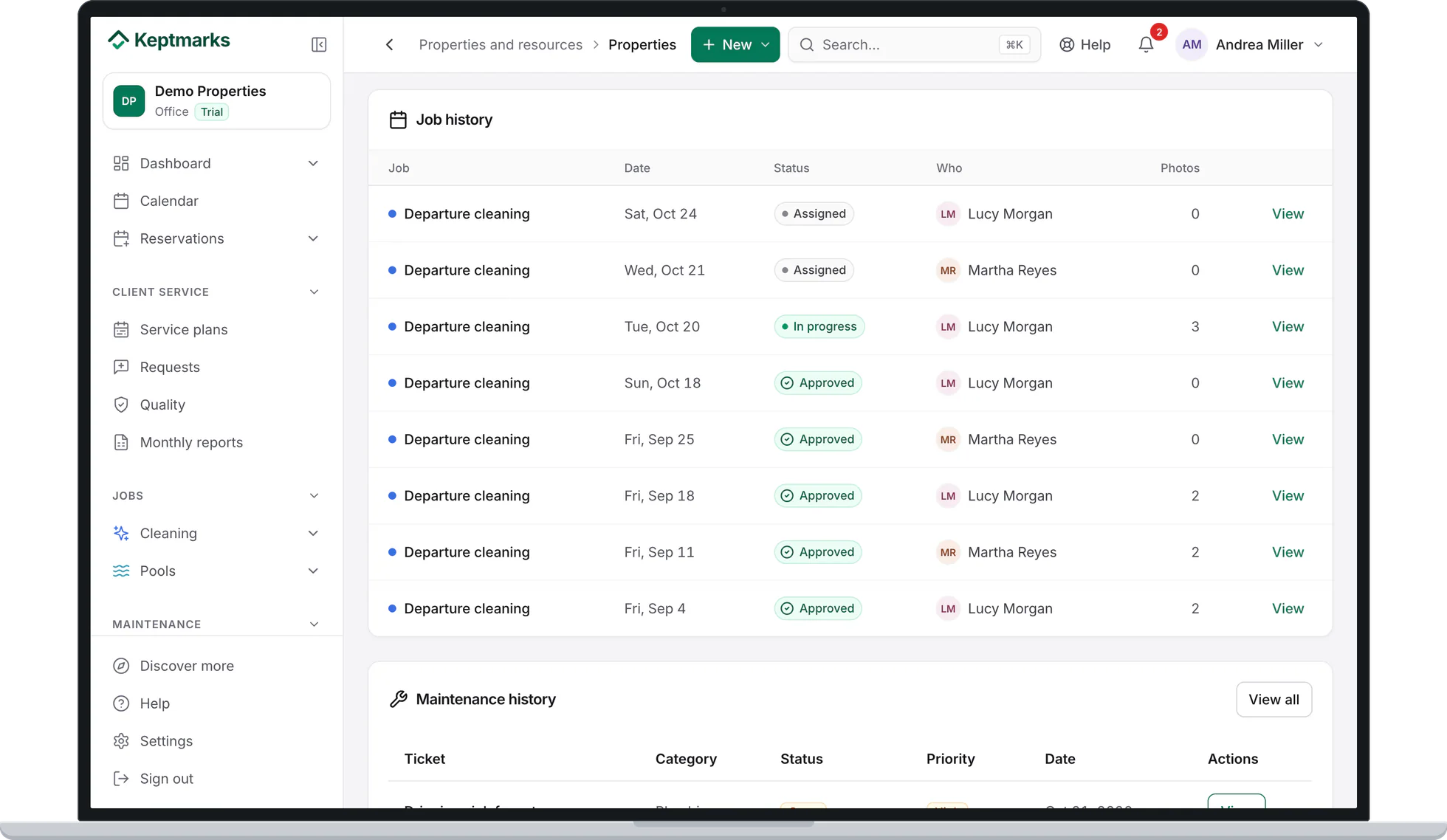
Screenshot of the app with demo data.


What is included
Most of it is on every plan, including Free. Where a feature needs a paid plan, it says which one.
- Recurring and one-off jobs and, for vacation rentals, cleans created from the booking calendar.
- Checklists by room or area, with photos per task, and offline mode.
- Live progress, alerts for jobs that have not started, and review and approval.
- Clock in and out by scanning a QR code.
- Commercial cleaning: a service plan per site, inspections scored from 0 to 100, client requests with response times, and a monthly report with your branding.
- Client portal, at no cost to your clients.
- Reports you can export to Excel and PDF.
- Location at the start and end of each job.From Essential
- Shifts, hours close with each person’s rate, internal chat and team to-dos.From Essential
- Client signature when a job is finished.From Essential
- Billing your clients: statements, prices and payments.Professional
Pricing
You pay per active home or site: free for up to 2, then Essential USD 4 and Professional USD 7 per month each, with no minimum and 25% off from site 11. A hotel, a building or a large commercial site you service counts by the rooms or areas you service, as the pricing page explains. Cleaners are never charged. The 30-day free trial includes everything in Professional and needs no card.
Free printable checklists
A room-by-room turnover cleaning checklist and an office cleaning inspection sheet, both to print or save as a PDF with no email required.
Get the turnover checklistFrequently asked questions
Yes. A home does not need a booking calendar: you create recurring or one-off jobs, each with the checklist for that home.
A house, an apartment or a small office counts as one site. A hotel, a building or a large commercial site counts by the rooms or areas you service, as the pricing page explains.
Yes. In commercial cleaning the client can inspect from their portal with the same checklist, and sees the same scores as your office.
No. Field staff sign in with a PIN on their phone and are unlimited on every plan.
Yes, from the Essential plan. Hours come from when each person started and finished each job, minus breaks, and Hours close shows them by week, fortnight or month with each person’s rate. You can export them to PDF or Excel. It does not replace the labor rules where you operate.
Yes. Keptmarks works in English and Spanish, so each cleaner can use the language they prefer.
Try it with your next week of jobs
Register your company, add a few clients and their recurring jobs, and send your team their day on the phone. 30 days free, no card needed.